
Build your catalog · Module 6
Variants
A T-shirt in 3 sizes and 4 colors is not 12 different products, it is ONE product that comes in variants. This module shows you how cocoPIM saves you from duplicating 12 product sheets (and from fixing the same description 12 times).
12 min read
Master and variants: who holds what
In cocoPIM, a product with variants is organized on two levels:
- the master product holds everything they have in common: the description, the brand, the material, the lifestyle photos… as well as the categorization per channel (variants always take the master’s categories, with no override possible);
- each variant holds what sets it apart: its size, its color, its own SKU, its own barcode, possibly its own specific photo.
Variants are built on 1 or 2 axes at most. An axis = a select attribute that varies: size alone (1 axis), or size × color (2 axes). Two axes cover the vast majority of a small business’s needs; beyond that, your catalog would lose readability.
Inheritance: fix once, propagate everywhere
The great benefit of the system: variants inherit the master’s values. Fix the description on the master, and all 12 variants get it. A variant can however override an inherited value when it needs to be different (a specific photo for the red color, for example): the variant’s own value then takes precedence.
Master product: Garance Tablecloth (TBC-GAR)
- carries what is shared: description, material (washed linen), care, lifestyle photos
- chosen axes: Size × Colour (2 axes max)
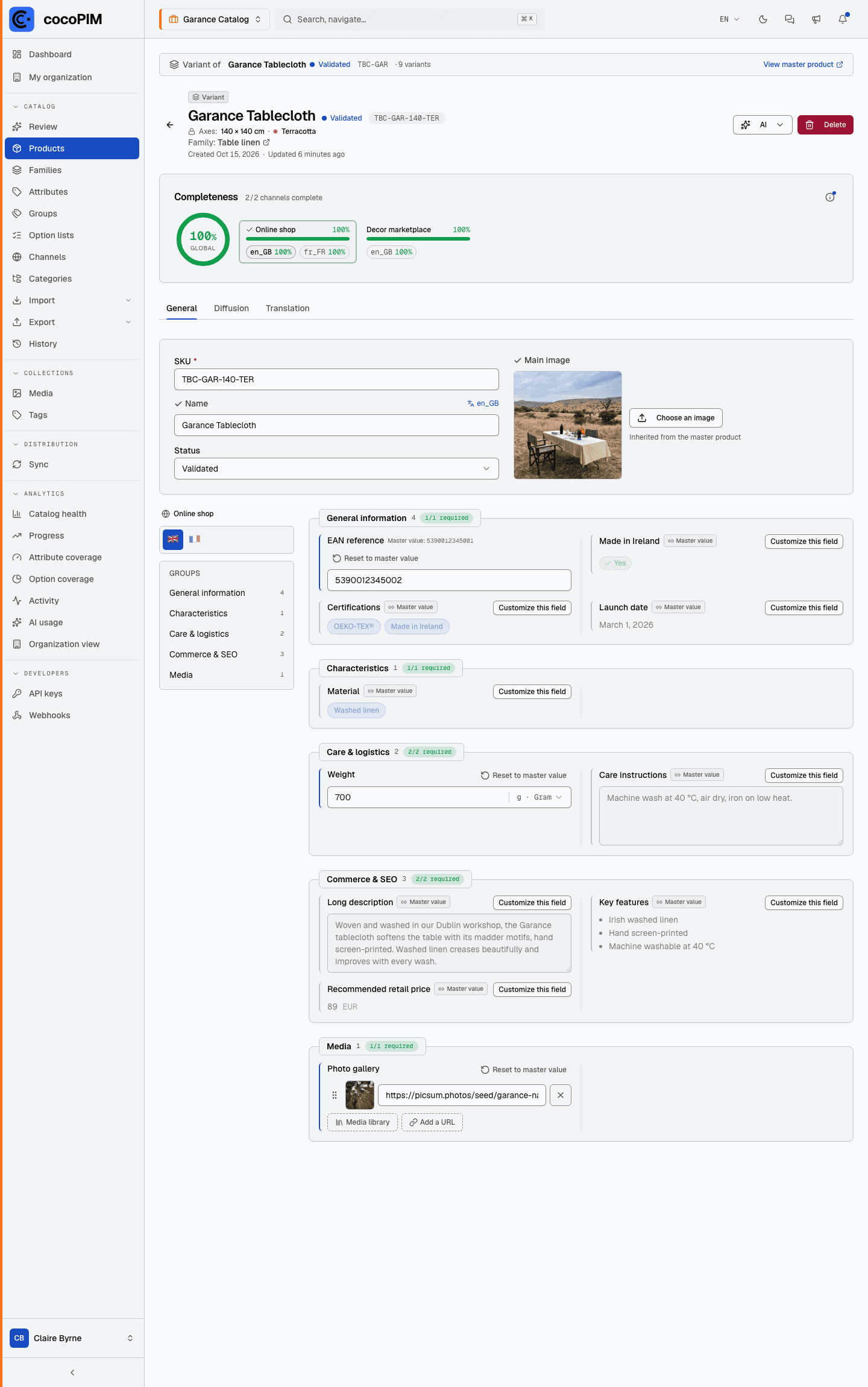
TBC-GAR-140-TER
- inherits everything from the master
- + Size 140×140 · Terracotta
- override: its own photo
TBC-GAR-140-OCH
- inherits everything from the master
- + Size 140×140 · Ochre
- its own SKU and EAN
TBC-GAR-250-MNB
- inherits everything from the master
- + Size 170×250 · Midnight blue
- its own SKU and EAN
In practice: creating variants of a product
Prepare the axes
Check that your family contains the select attributes that will serve as axes (e.g. “Size”, “Colour”) with their option lists.
Create the master product
Create the product as in the previous module, choosing the “With variants” type: the creation then asks for its axes (1 or 2). Choose them carefully, they can no longer be changed once the product is created.
Generate the variants
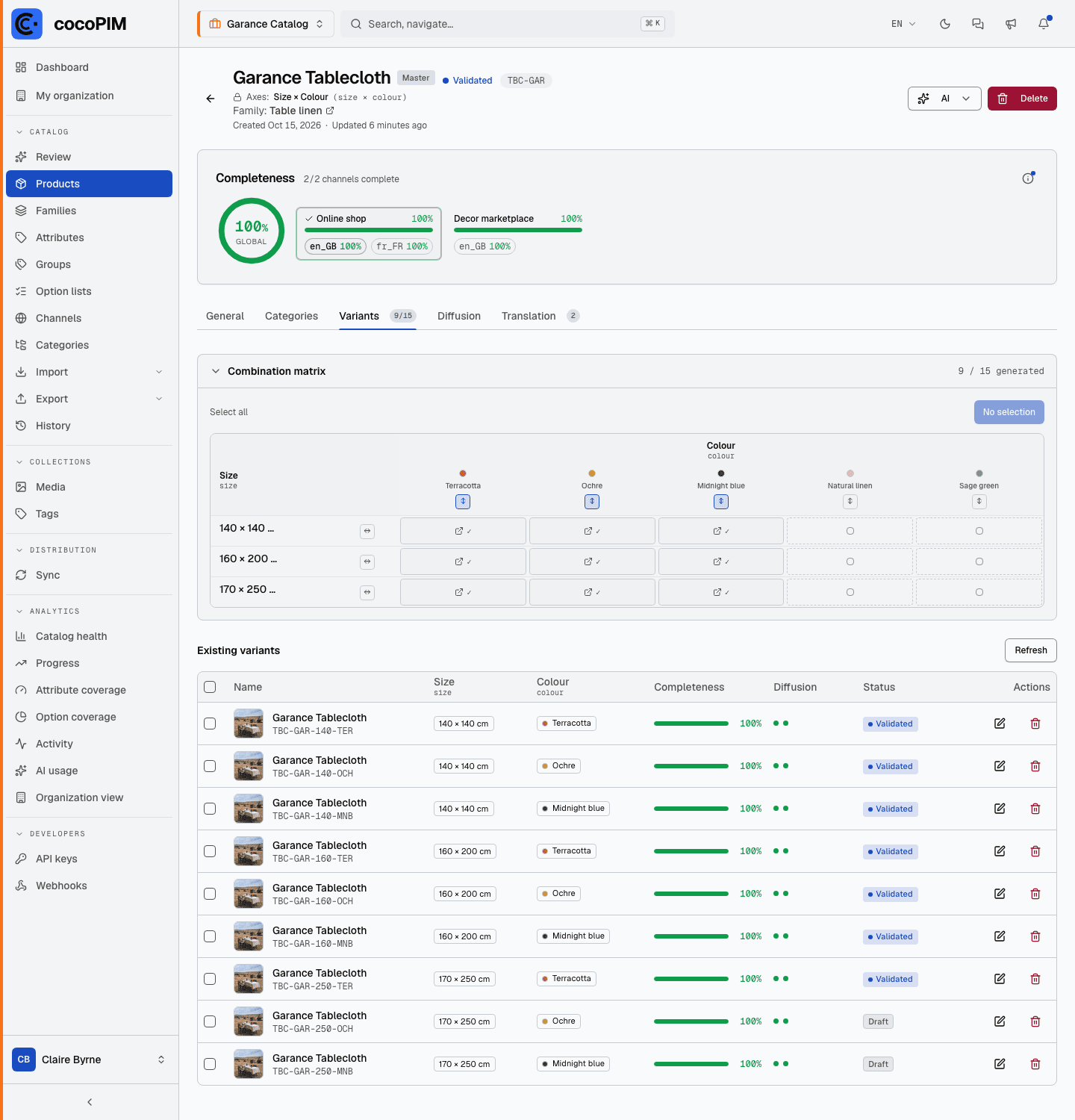
Select the combinations to create (S/M/L × Red/Blue…): cocoPIM generates the variants and suggests their SKUs automatically, based on the master’s.
Adjust in the matrix
The variant matrix shows all the combinations in a table: ideal for checking at a glance what exists and for completing the values specific to each variant.
Completeness: the master reflects its variants
The completeness of a product with variants is not calculated like that of a standard product:
- each variant has its own completeness, calculated on its effective values (those inherited from the master as well as those it overrides), exactly like any other product;
- the master product has no completeness of its own: the percentage shown (in the product list as well as in the banner of its page, overall, per channel and per language) is the average of its variants’ completeness. A master with three variants completed at 100%, 80% and 60% therefore shows 80%.
In practice: to raise a master’s completeness, you complete its variants. A master with no generated variant yet shows no percentage (a dash in place of the value).