
Go further · Module 13
Managing your catalog
A living catalog means dozens of changes a day. This module presents the three tools that keep you in control: analytics to prioritize, the audit log to trace, notifications to be alerted.
11 min read
Analytics: where to focus the effort
The Analytics section of the menu answers the Monday-morning question: “what are we working on this week?” Six screens (plus the “Organization view”, reserved for the organization owner), from the overview to the detail, then how your team uses the product:
- Catalog health, the overview: breakdown of A–E grades, products without completeness, channels lagging behind;
- Progress, how completeness evolves over time: is your enrichment work paying off?
- Attribute coverage: attribute by attribute, the fill rate (if “Description FR” is only 12% filled, you know where the work is);
- Option coverage, the same logic for your option lists: which values are actually used;
- Activity: who did what recently, activity per space;
- AI usage (organization owner): where the shared AI quota goes (pace of the month and projection, AI features, most active users, spaces, request details). One credit corresponds to one request sent to the AI; the Coco chatbot does not use any. Views of the details are recorded in the audit log.
Each screen (what it shows, how to read it, who has access) is detailed in Analytics, screen by screen.
The audit log: the black box
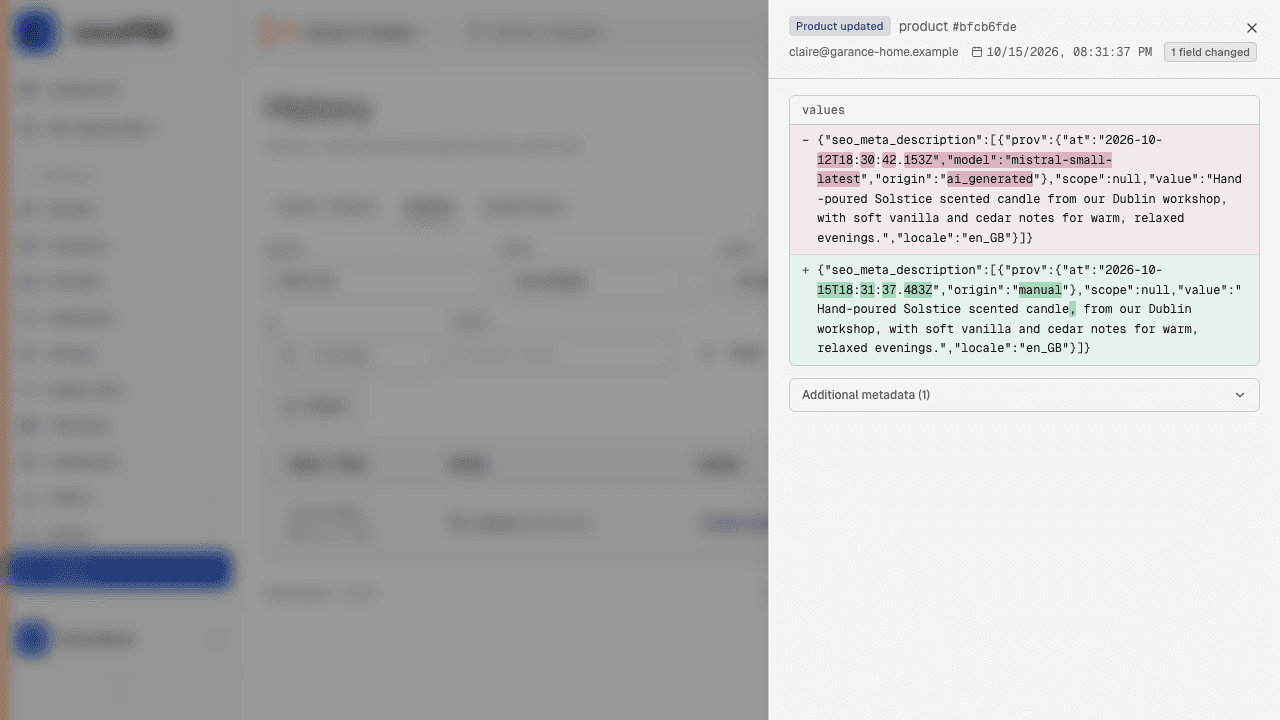
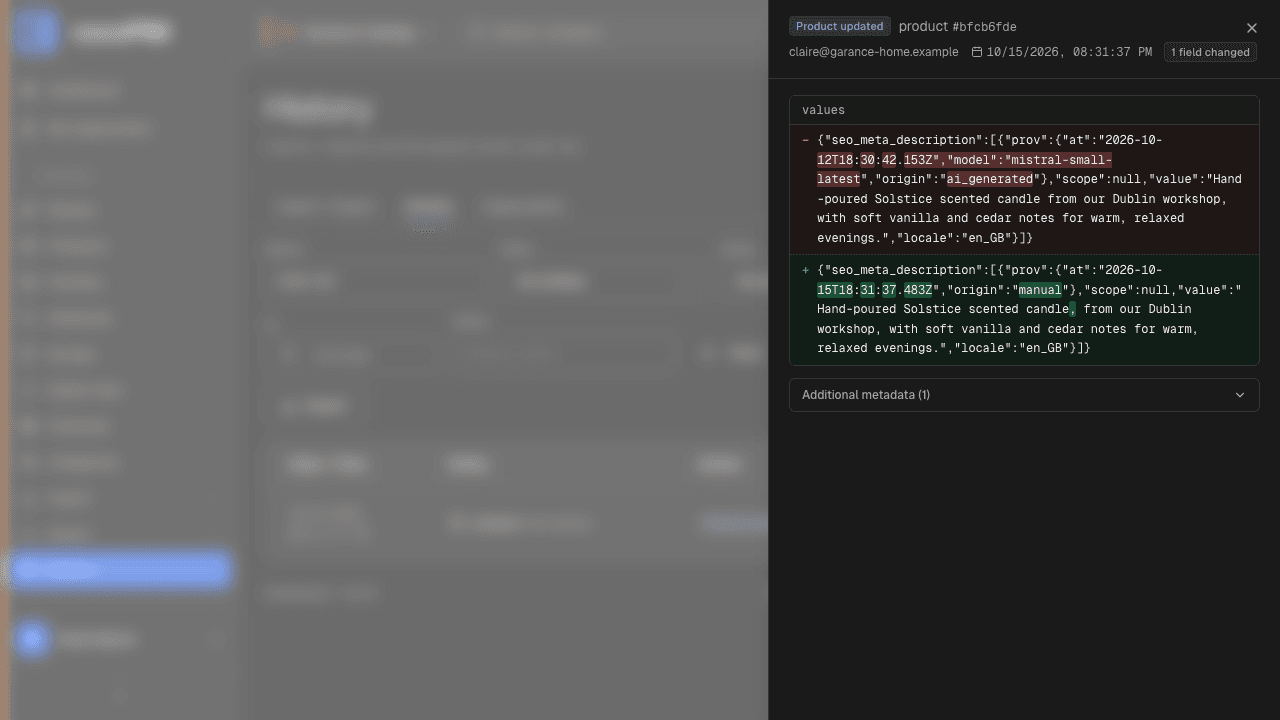
The Catalog → History screen, Actions tab, records every creation, modification and deletion: who, what, when, with the before/after detail of each change. In practice:
- “the price changed, who did it?” → the answer in ten seconds, with the old and the new value;
- an import overwrote descriptions? → the log shows exactly which product sheets changed and what they contained before;
- a quality audit, a certification, a supplier dispute? → you have the history.
And to find things fast: the free-text search filters the log by code; type a product SKU (“CND-004”), an attribute or family code, and all the actions that concern it come up, in addition to the filters by action type, entity, user and period.
Notifications: be alerted, don’t keep watch
The bell at the top of the interface gathers the events that concern you: import finished, export ready to download, sync run, bulk operation done, batch AI generation completed… The principle: start a job, move on to something else; cocoPIM lets you know when it is done. Important events (end of an export, for example) also arrive by email.